

Restarting the Close app
If you need to restart the Close desktop app for any reason, please follow the instructions below as just clicking on the X button isn’t enough to fully restart the app.
Mac
- Go to Close in the top-left and click on
Quit Closeor pressCommand + Q.
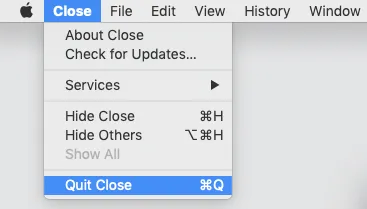
- Open the app again.
Windows
-
Press
Alton your keyboard to show the menu bar at the top -
Click on
File > Exit
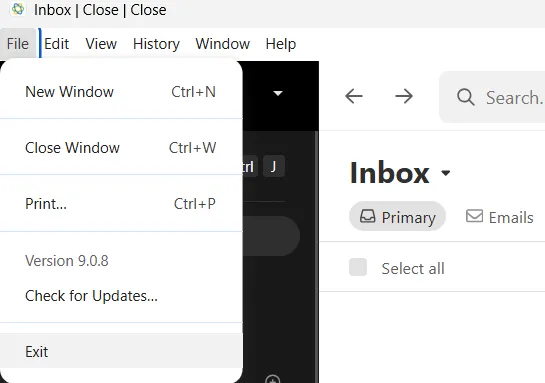
- Open the app again