

Facebook Lead Ads

Create a Close lead whenever a prospect signs up via Facebook Lead AdCreate a Close lead whenever a prospect signs up via Facebook Lead Ad
Facebook Lead Ads are a specific type of Facebook Ads where a prospect can simply tap your ad and a form pops up – it’s already pre-populated with their Facebook contact information and ready to be sent directly to you. Instead of checking on new leads inside Facebook, you can use the following Zap to create a lead in Close whenever a new lead signs up via a Facebook Lead Ad.
What you’ll need
- A Close account and your API key
- A Zapier account (Starter or higher, needs Premium App support)
- A Facebook Ad account
How this integration works
Whenever a new lead signs up via Facebook Ad, this integration will check if such a lead already exists in Close based on the lead’s email address. If it doesn’t exist, a new lead will be created.
Setup
Start by using the template we provided by clicking on the “Use this Zap” button. With the template, the only thing you’ll need to do is authorize Facebook and Close on each step and you should be good to go!
Step 1 - New Lead in Facebook Lead Ads
In the first section just click Continue and then authorize Facebook under the “Choose Account” section.
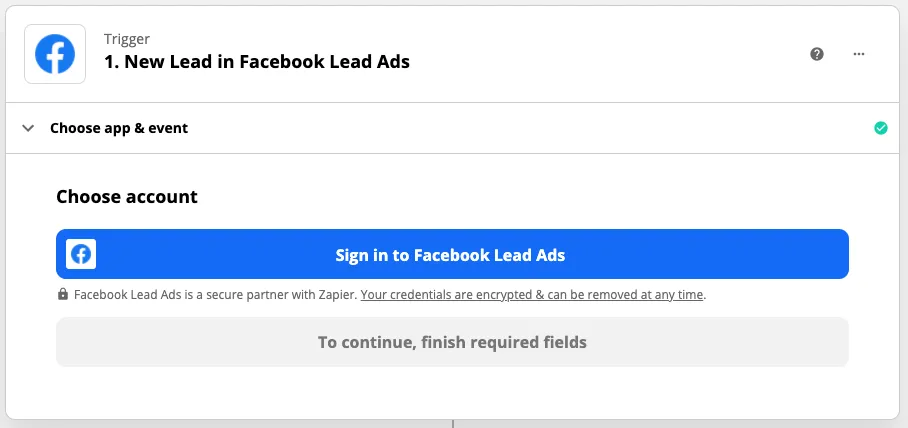
Step 1 - New Lead in Facebook Lead Ads
Sign in via Facebook, and select the Page that will be used to trigger this Zap.
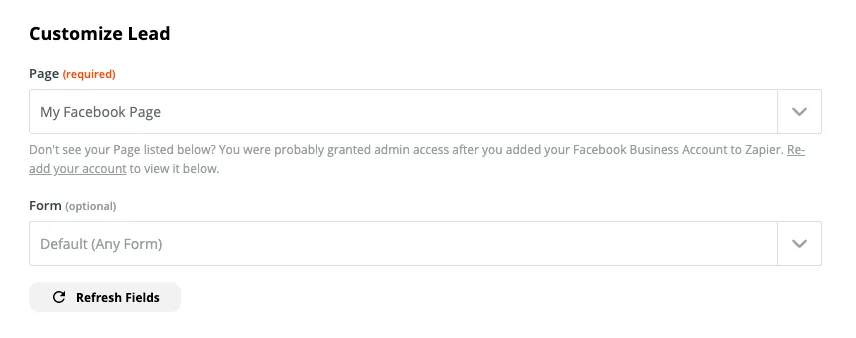
Facebook Lead Ad step customizations
Click Continue, and Test & Continue to make sure everything is working as expected.
Step 2 - Find or Create Lead in Close
In the second step authorize Close using your API key found in Settings > API Keys.
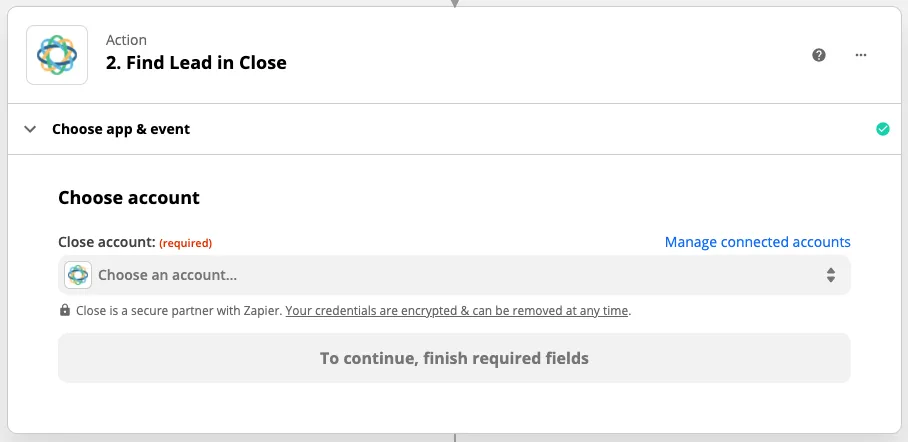
Step 2 - Find or Create Lead in Close
Click Continue and review the details of lead that will be created if there isn’t already a lead with the same email address. By default, a new lead will be created with a Facebook Lead’s full name, email address, phone number, and a description that reads Lead from a Facebook Ad. If that works for you, you don’t need to change a thing.
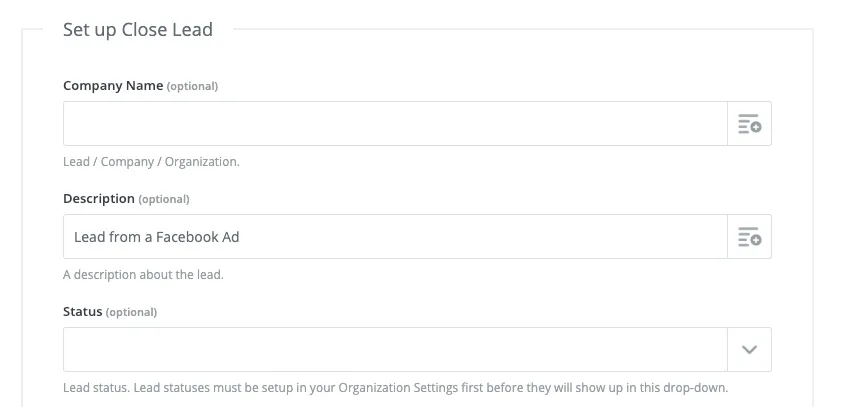
Step 2 - Lead Description
Click Continue, then Test & Continue and you’re done. Turn on the Zap and you are good to go!