
Calculations in Smart Views
Smart View Column Calculations
Smart View column calculations let you quickly summarize your data—right inside Close.
You can see totals, averages, percentages, and more at the bottom of any Search result or Smart View column, without exporting to a spreadsheet.
Once added, calculations are saved with the Smart View, so anyone you share it with will see the same results.
How Column Calculations Work
At the bottom of a supported column, you’ll see a Calculation option.
- Open a Search result or Smart View
- Scroll to the bottom of a column
- Click Calculation
- Choose the calculation you want to apply
Your selected calculation appears instantly and updates automatically as the underlying data changes.
Why Use Column Calculations?
Column calculations help you answer common questions about your data—fast.
Instead of exporting data or building formulas elsewhere, you can understand what’s happening directly where you work.
Some examples:
- See the average call duration for a filtered list of calls
- Track the percentage of calls with an Outcome assigned
- Monitor how often a custom field is filled in
- Calculate totals, like revenue stored in a custom field
- Find the highest or lowest values in a column
Available Calculations
Numeric Columns
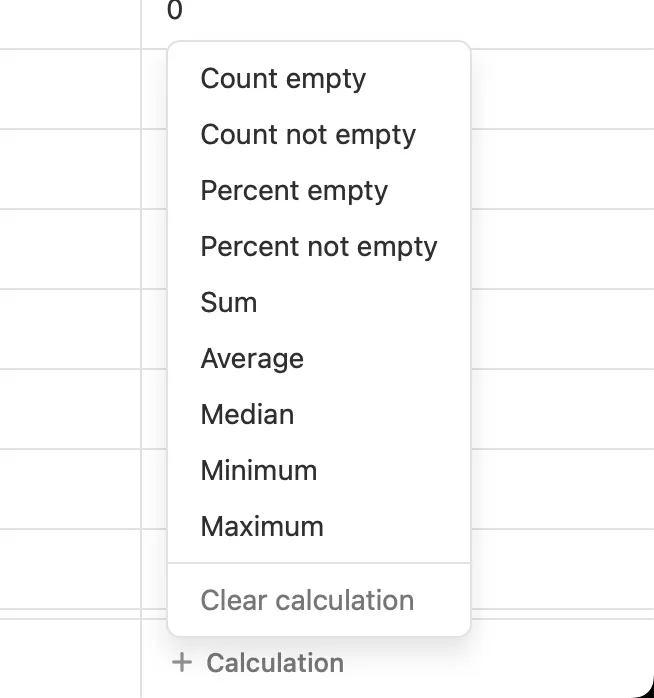
For numeric fields, you can choose from:
- Count Empty
- Count Not Empty
- Percent Empty
- Percent Not Empty
- Sum
- Average
- Median
- Minimum
- Maximum
These are useful for call duration, deal value, revenue, and any numeric custom field.
Non-Numeric Columns
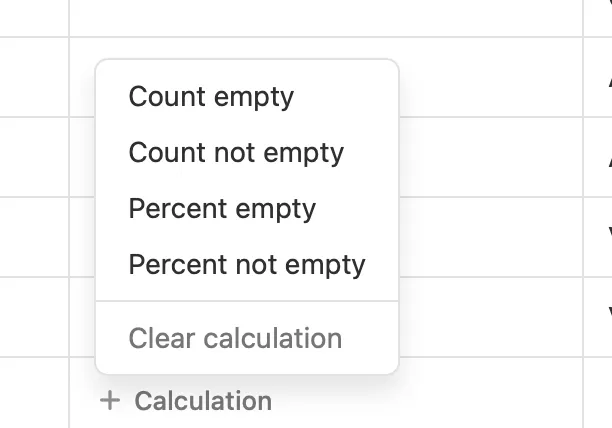
For text-based or non-numeric fields, you can use:
- Count Empty
- Count Not Empty
- Percent Empty
- Percent Not Empty
This is especially helpful for checking data completeness, such as whether required fields are consistently filled out.