

Keyboard shortcuts
Keyboard Shortcuts
Close comes with a set of keyboard shortcuts that can significantly improve your workflow efficiency. To see the list of keyboard shortcuts available, just hit the question mark button ? on your keyboard from any page and you’ll see a pop-up window listing them all.
You can also collapse the left sidebar (Smart Views, settings, and controls) to an icons-only view and expand it back to the full-width view using the collapse/expand button at the bottom of the left sidebar. You can toggle the sidebar with Ctrl/⌘ + S.
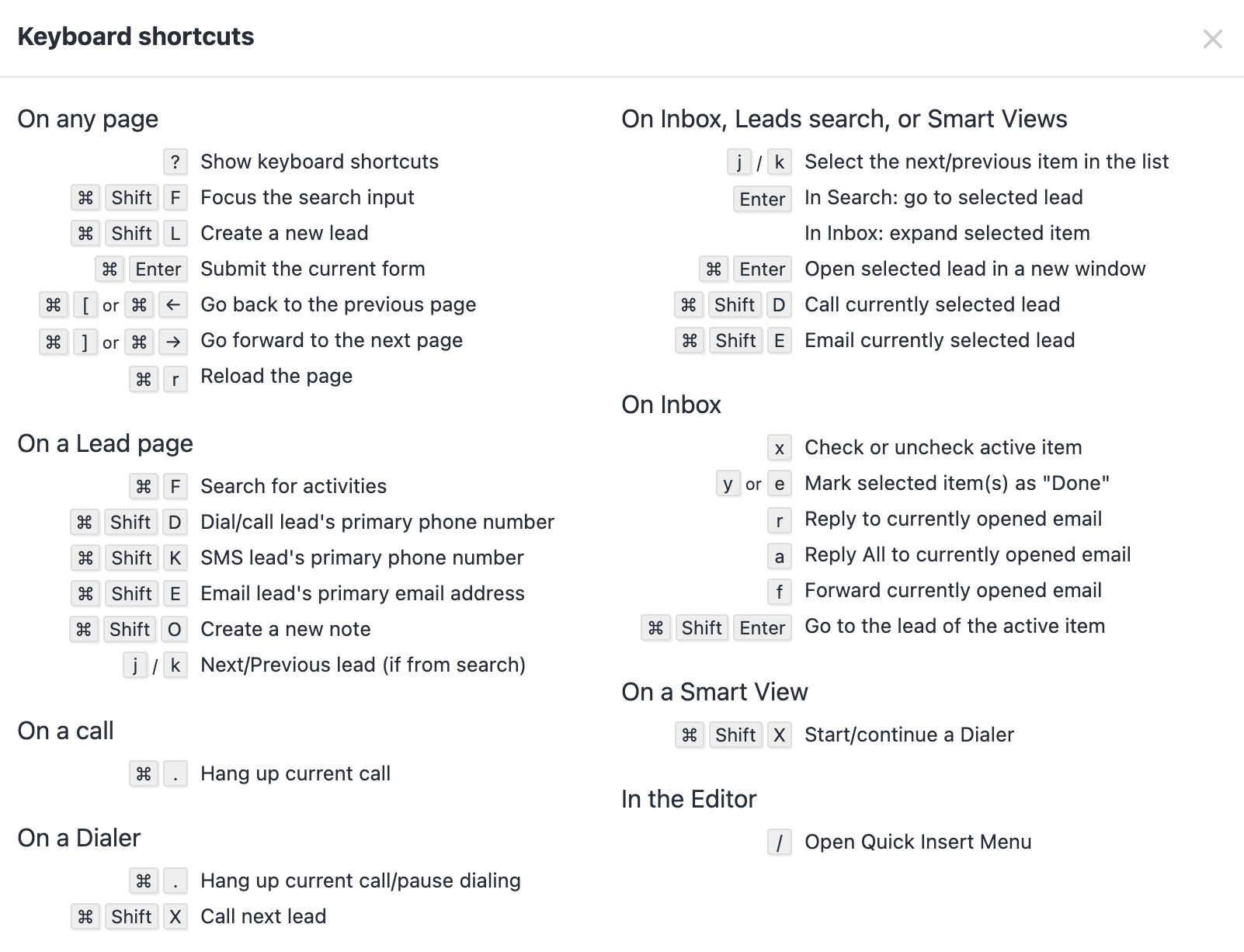
Close app keyboard shortcut list for Mac OS
On any page
| ⌘ S | Ctrl S | Collapse/expand the left sidebar |
| ⌘ Shift L | Ctrl Shift L | Create a new lead |
| ⌘ Enter | Ctrl Enter | Submit the current form |
| ⌘ [ or ⌘ ← | Ctrl [ or Ctrl ← | Go back to the previous page |
| ⌘ ] or ⌘ → | Ctrl ] or Ctrl → | Go forward to the next page |
| ⌘ r | Ctrl r | Reload the page |
On a Lead page
On a call
On a Dialer
On Inbox, Leads search, or Smart Views
Tip: In Leads Search, you can use ⌘ + Enter (Mac) / Ctrl + Enter (Windows) to open the selected lead in a new browser window or tab so you can keep your search results open.
On Inbox
On a Smart View
In the Editor
Command Palette
In addition to keyboard shortcuts, you can also access any page with by using the command palette menu. This can be opened by pressing Command + k on MacOS, and crtl + k on Windows.
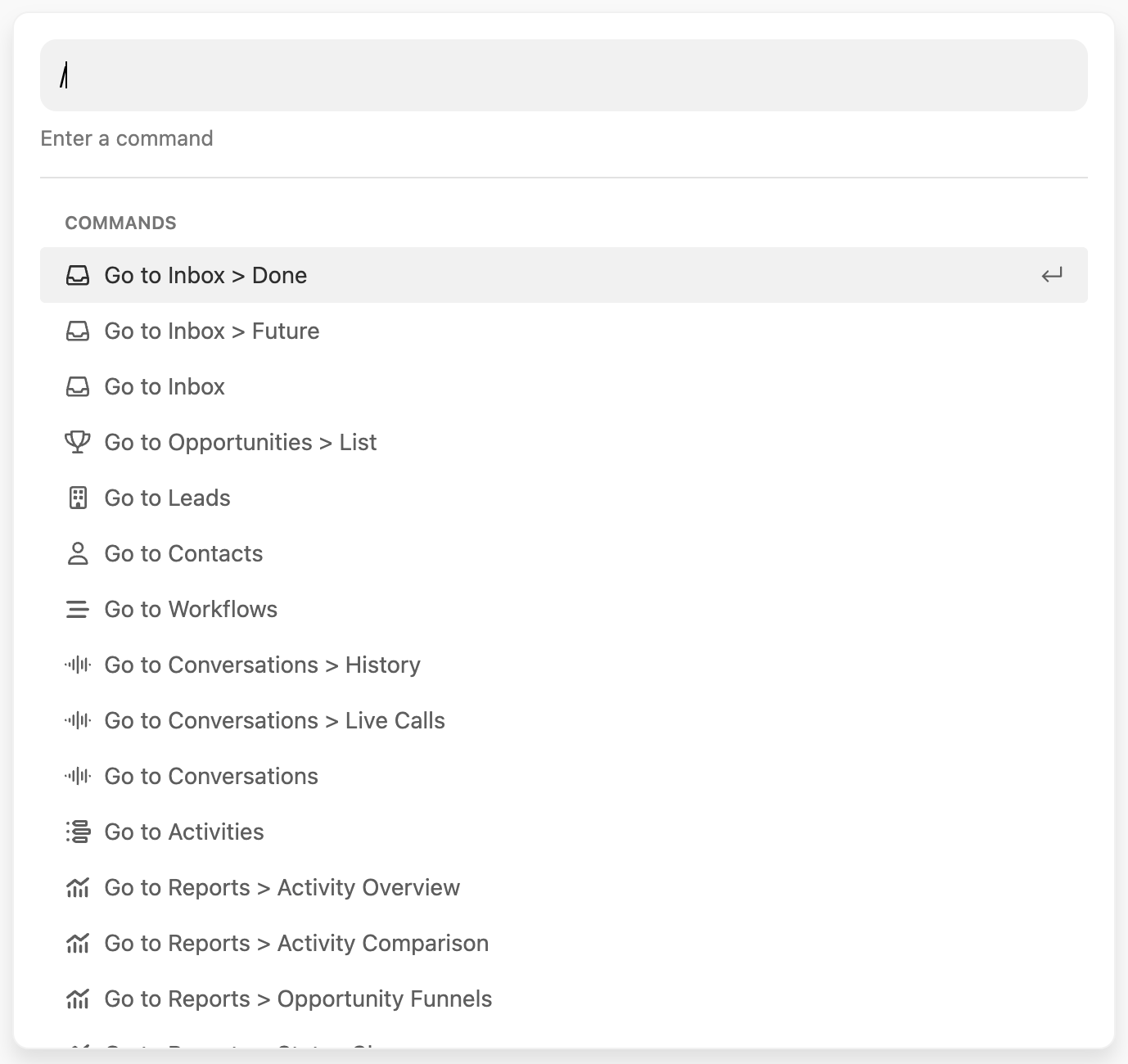
Anyone who prefers using the keyboard instead of navigating with a mouse will find navigating Close to be a breeze. Here are some commands to try:
- Jump to any Smart View: Go to Smart View: [Smart View name]
- **Jump to any settings page or tab:**E.g., type “email templ” to go to Settings > Communication > Templates & Snippets > Email
- Switch orgsby typing “Switch to org: [org name]”
- Create a lead by typing “Create lead” or “New lead”
Below is a full list of commands specific to areas of Close.
On Lead page
- Dial a Lead’s primary phone number
- Log a call with Lead’s primary phone number
- Send an SMS to the Lead’s primary phone number
- Email Lead’s primary email address
- Create a new Note
- Open ‘X’ Integration Link (from Lead)
- Open ‘X’ Integration Link (from Contact) for each Contact name on a Lead
- Open ‘X’ Integration Link (from Opportunity) for each Opportunity on a Lead
- Call/Log a Call/Email/SMS each Contact name on a Lead
- Create a Task
- Create an Opportunity
- Create a Contact
- Create a [Custom Activity name]
- Add a Custom Field
- Open address in Google Maps, and add a lead address
- Update Lead Status
In a Smart View
- Start/continue a Dialer
- Bulk edit Smart View Leads
- Export Smart View Leads
- Copy Smart View filters as JSON
- Enroll Smart View Contacts into a Workflow
- Manage Workflows for Smart View Contacts
- Send a bulk email
Accessing Close support, community, and changelog
- Open Product Changelog
- Open Support Center
- Open developer documentation
- Contact Support
- View keyboard shortcuts
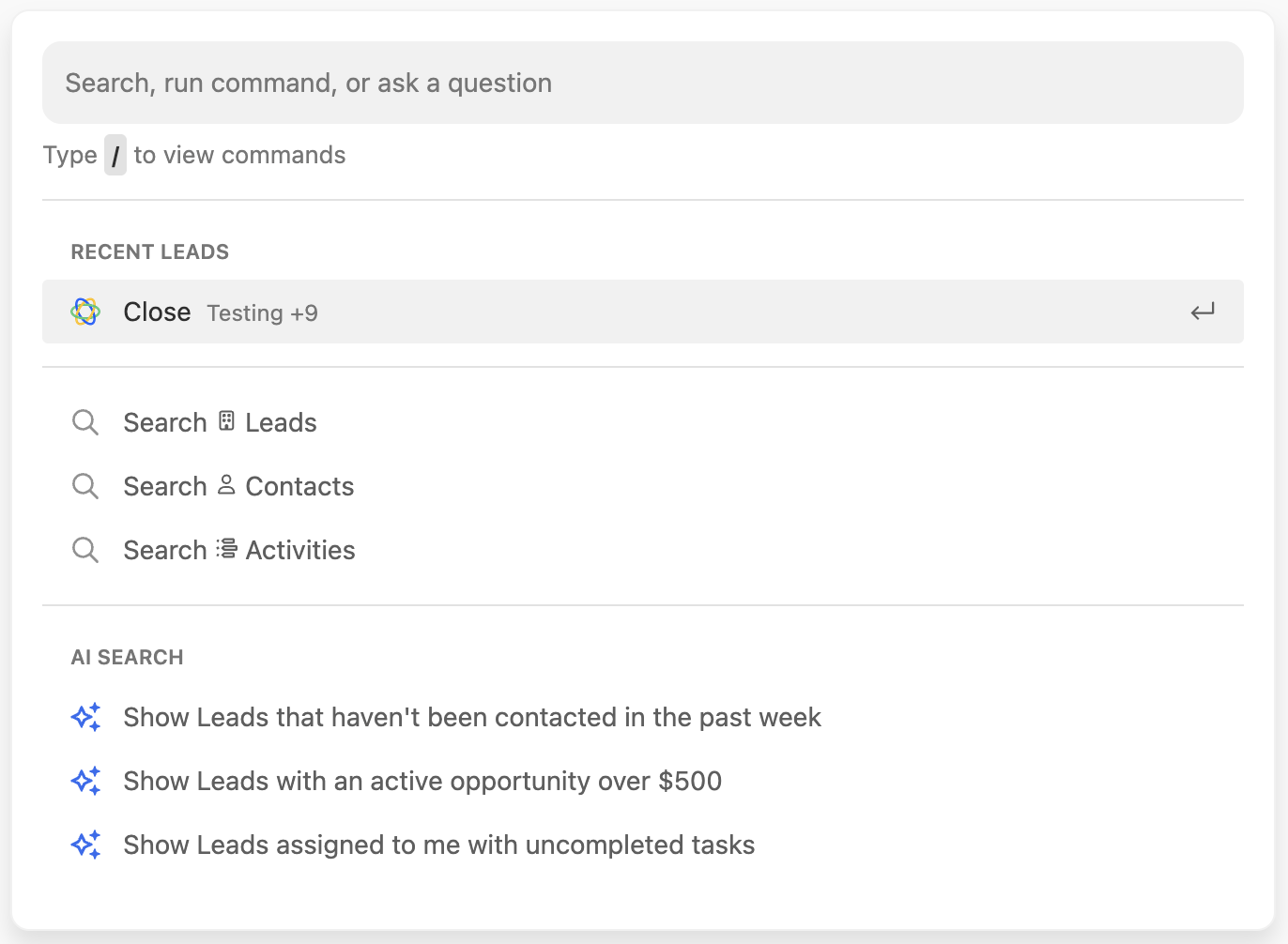
Accessing Search
Delete the ’/’ for a shortcut to access Close Search:
If you want to provide feedback on these keyboard shortcuts, please let our team know.