

Knowledge Sources
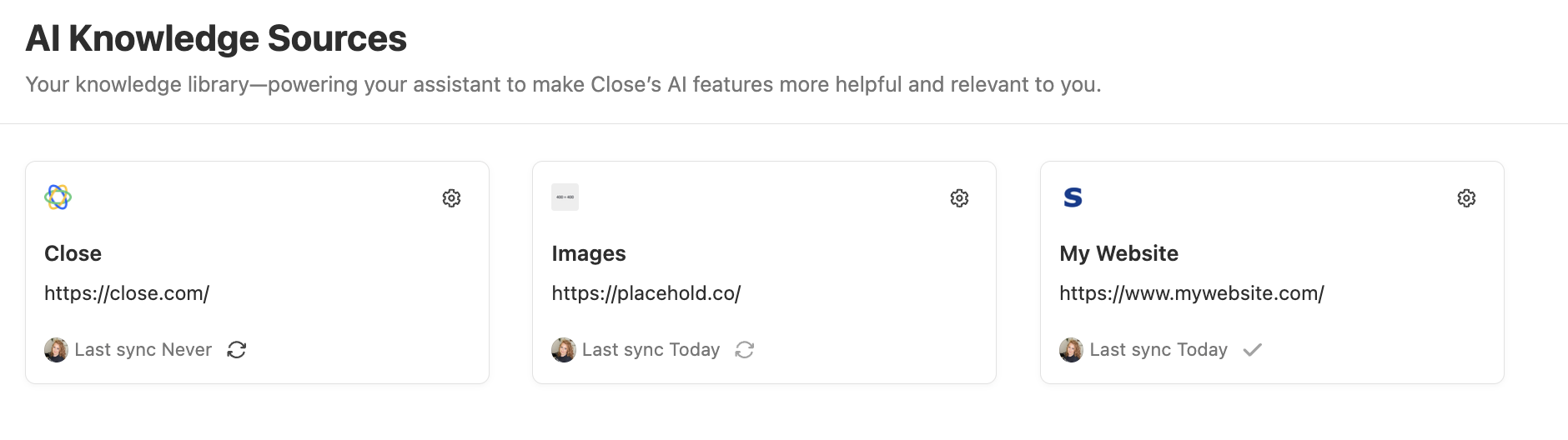
The Knowledge Sources feature lets you connect external content (such as websites and documents) that Chloe can reference during calls to answer questions not covered by her Instructions. Knowledge sources are managed centrally in Settings > AI Knowledge Sources and connected to individual Voice Agents from the Knowledge tab.
Built-in knowledge
The Knowledge tab also shows built-in knowledge, which is information that is always available to Chloe without needing to be looked up. Built-in knowledge is immediately accessible during calls and is suited for key facts about your business and products.
Built-in knowledge is separate from the searchable knowledge sources you add in Settings and does not require configuration here.
Adding a knowledge source
-
Go to Settings > AI Knowledge Sources
-
Click Add Source
-
Choose the source type:
- Website — enter a URL; Close will crawl and index the content. Only publicly accessible content is crawled.
- Text Source— write or copy/paste your content here.
-
Give the source a name so you can identify it when connecting it to a Voice Agent
-
Click Save
Close indexes the source and displays the status (Syncing, Synced, or Failed) in the source list.
Path-based filtering (websites)
When adding a website, you can use path-based filtering to refine what content gets indexed; for example, restricting indexing to a specific subdirectory rather than the entire site. This is useful for large sites where only a section is relevant.
Managing and updating sources
Sources can be edited or deleted at any time from Settings > AI Knowledge Sources.
- Websites can be re-crawled to pick up content changes. Close does not automatically re-index websites. Trigger a re-crawl manually when the source content changes.
- Text Source can be edited.
Changes to a source are reflected across all Voice Agents that use it.
How Chloe uses knowledge sources on calls
When knowledge sources are connected to a Voice Agent, Chloe searches them during a call when:
- The contact asks a specific question (for example, about pricing, features, or policies)
- The answer isn’t already covered in the Voice Agent’s Instructions
Chloe uses the retrieved content to answer naturally in conversation. She does not read out the source verbatim.
Knowledge sources must be explicitly connected to each Voice Agent that should use them - select them from the Knowledge tab in the Voice Agent editor. See Voice Agent Setup for how to navigate to the Knowledge tab. A source connected to one Voice Agent is not automatically available to others.
FAQs
Can I connect the same source to multiple Voice Agents?
Yes. A source added in Settings can be selected on any number of Voice Agents.
Does Chloe always search knowledge sources on every call?
No. Chloe only queries knowledge sources when the contact asks something she can’t answer from her Instructions. She won’t proactively read out knowledge source content.
How fresh is the website content?
Website content is indexed when you add it and when you manually trigger a re-crawl. Chloe does not fetch live web content during calls.
Does using knowledge sources consume AI credits?
No. AI Knowledge Sources is a free feature and does not consume AI credits.
For guidance on writing Voice Agent prompts that work alongside knowledge sources, see Prompt Training.