Chloe's behavior on calls is driven by the prompt you write for each Voice Agent. Who she's calling, why she's calling, what to ask, how to handle what comes up, and what to do at the end will be included here. Each Voice Agent has its own prompt, so you can define different behavior for different scenarios - for example, inbound trial qualification vs. outbound reactivation.
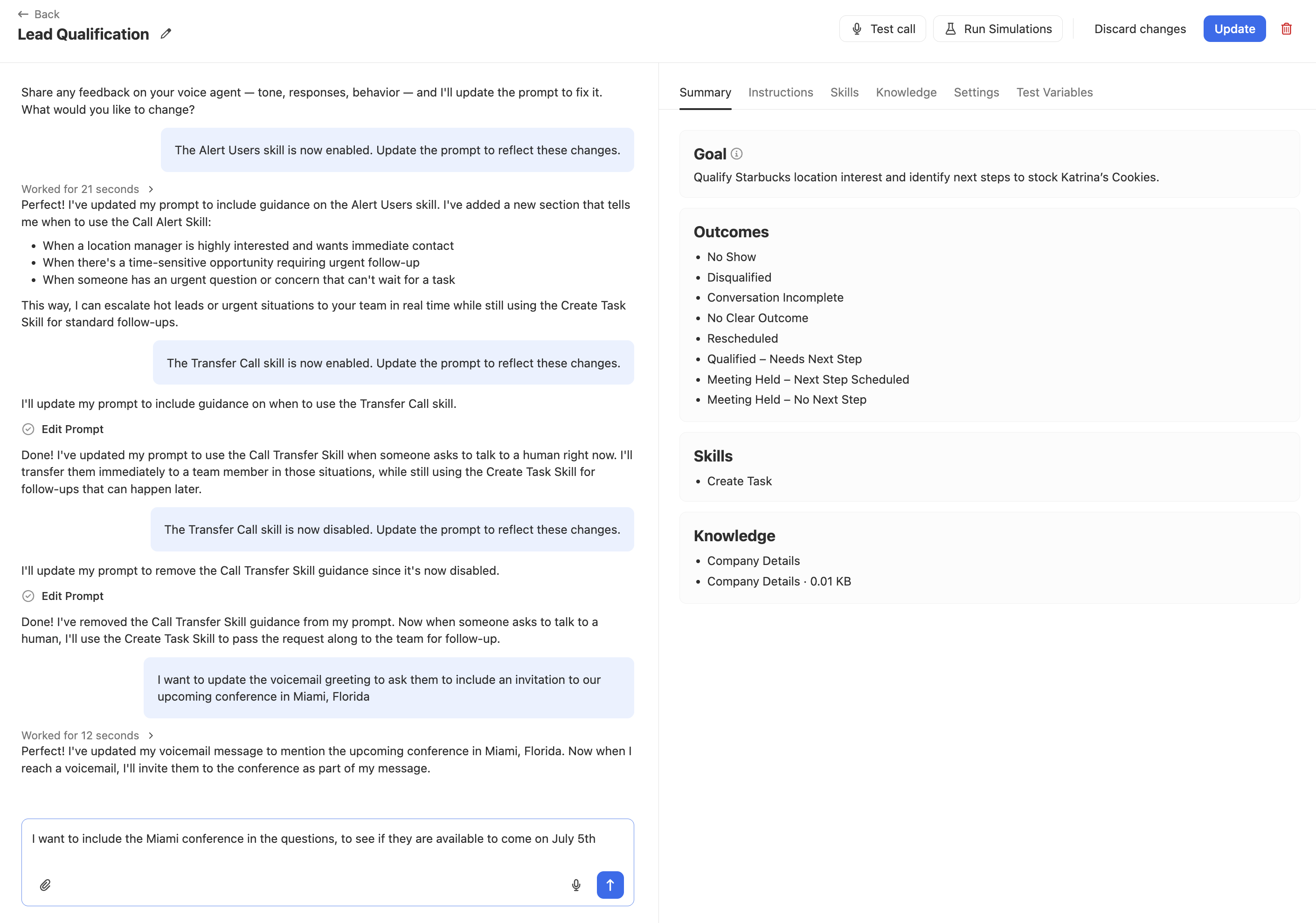
To edit a Voice Agent's prompt, go to Chloe > Voice Agents in the left sidebar, select the Voice Agent and click Edit. Use the left panel to describe what you want to change in plain language, and Chloe will update the instructions accordingly, or go to the Instructions tab and click Advanced edit to edit the Company Details and User Instructions fields directly.
Prompt iteration
Prompt length affects response speed
Longer prompts can introduce slight delays in Chloe's replies. Keep prompts focused and remove anything that is not likely to be relevant on a real call.
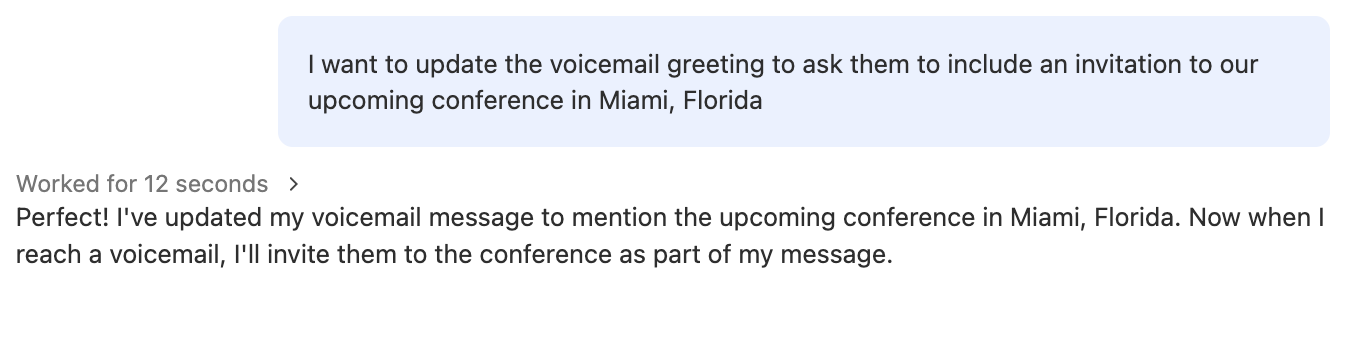
From the Voice Agent editing screen, type your feedback into the left panel. Describe what you want to change about Chloe's tone, responses, or behavior and the prompt will be updated accordingly. This is useful for quick iterations after reviewing real calls without manually editing the prompt fields.
What to include in a strong prompt
A well-written prompt is specific, structured, and focused on a single goal. Use the following as a framework.
Voice agents are non-deterministic. They won't get everything exactly right, and that's expected. Focus on the behaviors that matter most to hitting your goal rather than trying to control every possible interaction. Over-scripting often makes Chloe sound more awkward, not less. Think of her as an entry-level team member: give clear guidance on what matters, and let her handle the rest.
Avoid internal sales language in your prompt.
This includes terms like "cold lead", "disqualified", or other jargon your team uses internally. Chloe may say these words out loud to contacts during the call.
Call context — who Chloe is calling
Describe the audience and why they are receiving this call. Be specific.
"New inbound leads who requested a demo via the website form"
"Trial users whose trial expired in the last 30 days"
"Webinar attendees who opted in to a follow-up call"
This context tells Chloe who she's speaking to, and it doesn't automatically trigger calls. Chloe only calls when assigned via a Workflow or Batch call.
Goal of the call — what success looks like
Define one primary outcome in plain language. Examples: "Book a demo", "Confirm fit and route to a rep", "Get permission to follow up later." One Voice Agent, one goal.
Example for a trial signup Voice Agent: "The goal of this call is to confirm the contact signed up intentionally, ask two qualifying questions, and book a 30-minute demo with a rep if they meet our criteria."
Question flow — what to ask and in what order
List the questions Chloe should ask and the order to ask them. Chloe will follow your sequence while adapting based on how the conversation develops.
Here’s an example for a Voice Agent at a home services company:
Confirm you're speaking with the right person: "Am I speaking with
{{contact.first_name}}?"Establish context: "I saw you submitted a request for a quote. Can you tell me a bit about what you're looking for?"
Qualify: "Is this for a residential or commercial property?"
Qualify: "What's your ideal timeframe to get started?"
Route: If they want to start within 30 days, offer to book a time with someone from the team. If they're still researching, offer to send a scheduling link for when they're ready.
Handling rules — what to do when things go off-script
Spell out what Chloe should do in common situations:
They want to speak to a human — transfer or escalate based on your Skills setup
Wrong person or wrong number — apologise and end the call
They want more information — answer briefly, then return to the flow
If Chloe Callback is enabled in the Voice Agent's Settings, Chloe handles "I'm busy" and callback requests automatically. You don't need to write handling rules for these in the prompt.
Skills — what actions Chloe can take
Chloe can only take an action if the corresponding Skill is enabled for that Voice Agent. Your instructions should reference Skills explicitly so Chloe knows what is available to her. If a Skill is not enabled, Chloe cannot perform that action regardless of what the instructions say.
Reference skills explicitly by name in your instructions so Chloe knows when to use them.
Examples:
"If the lead is qualified, use the Book Meeting skill to schedule a meeting."
"If the contact prefers to pick their own time, use the Send Scheduling Link skill to send them a link."
"If the lead needs more time to decide, use the Create Task skill to log a follow-up task."
"If the contact demands to speak to a human, use the Alert Users skill and let them know you'll see if someone is available while you continue."
"If the contact is ready to buy now, use the Transfer Call skill to transfer them to a rep immediately."
Do not write instructions that reference actions without a corresponding enabled Skill.
See Skills for details on each skill and how to configure them. Check the Skills tab on each Voice Agent to confirm which are enabled.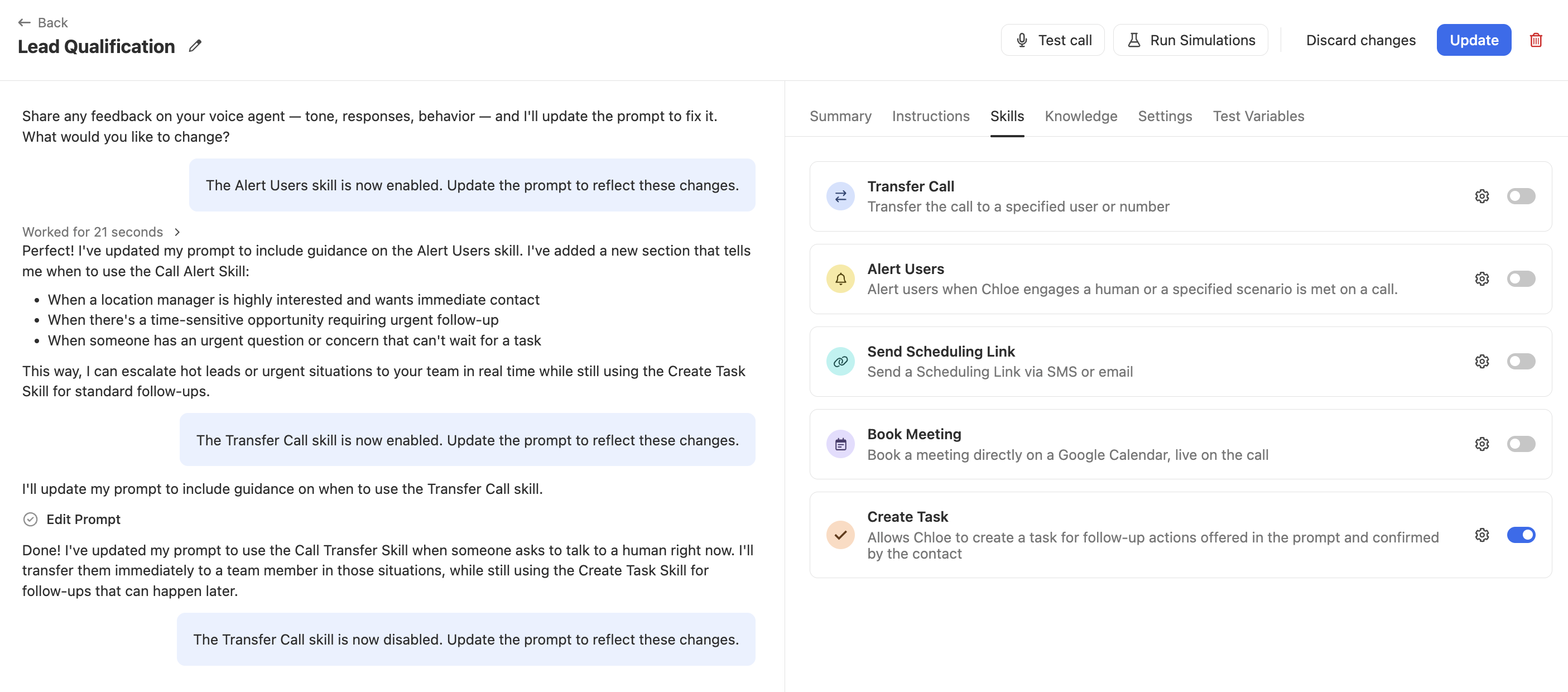
Variables
Chloe has access to lead and contact data at call time. Use variables in your prompt to personalise calls without hardcoding specific details.
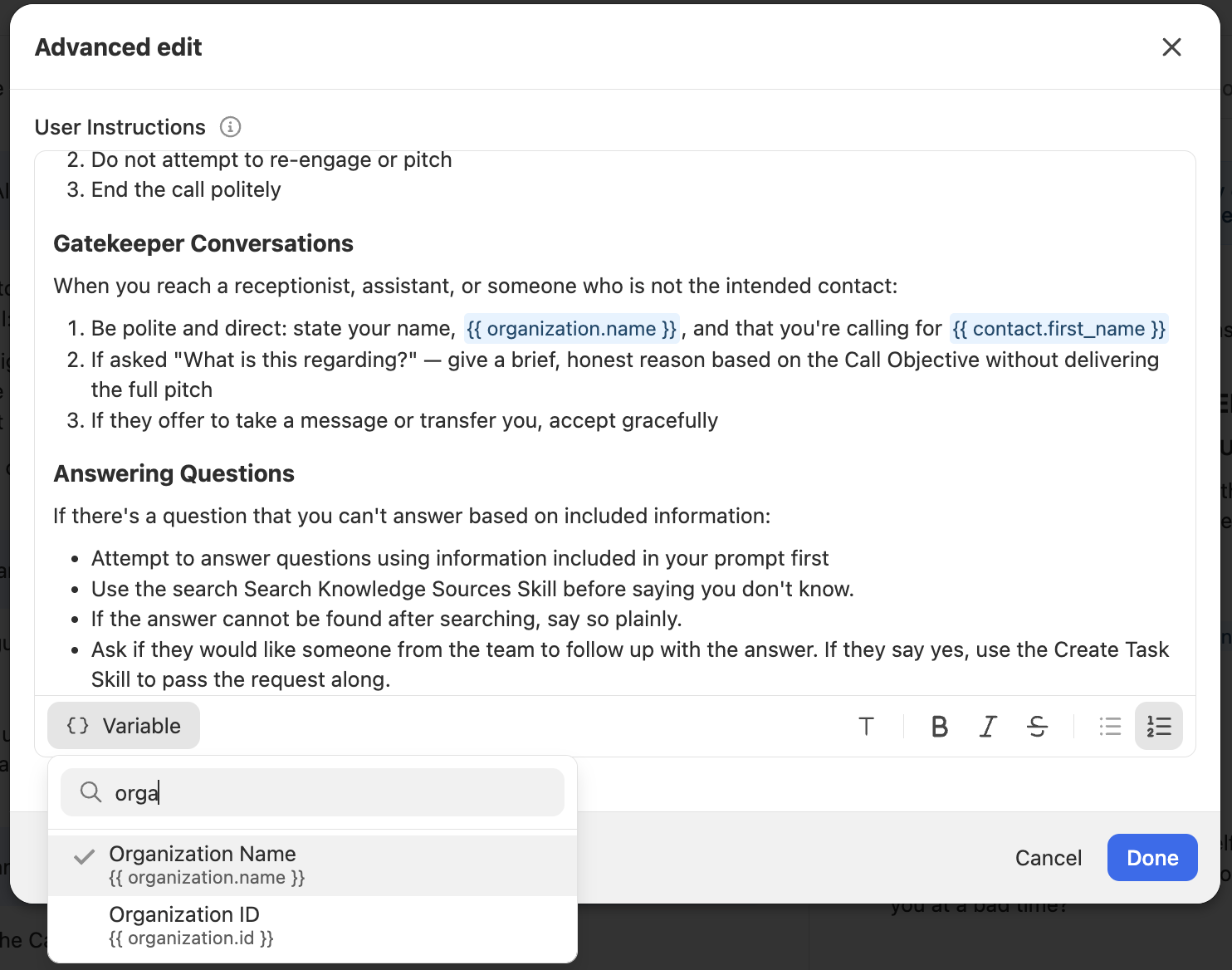
Variables use the {{variable_name}} format. Insert them using the Variable button in the Advanced edit view.
Available variables
Contact
{{contact.first_name}}— contact's first name{{contact.last_name}}— contact's last name{{contact.name}}— contact's full name{{contact.title}}— contact's job title{{contact.primary_email}}— contact's primary email address{{contact.primary_phone}}— contact's primary phone number
Lead / Company
{{lead.name}}— company name{{lead.display_name}}— display name{{lead.status_label}}— current lead status{{lead.description}}— lead description{{lead.url}}— company website
Organization
{{organization.name}}— your organisation's name
Call
{{call_task.description}}— the description from the call task (useful when calling from a Workflow)
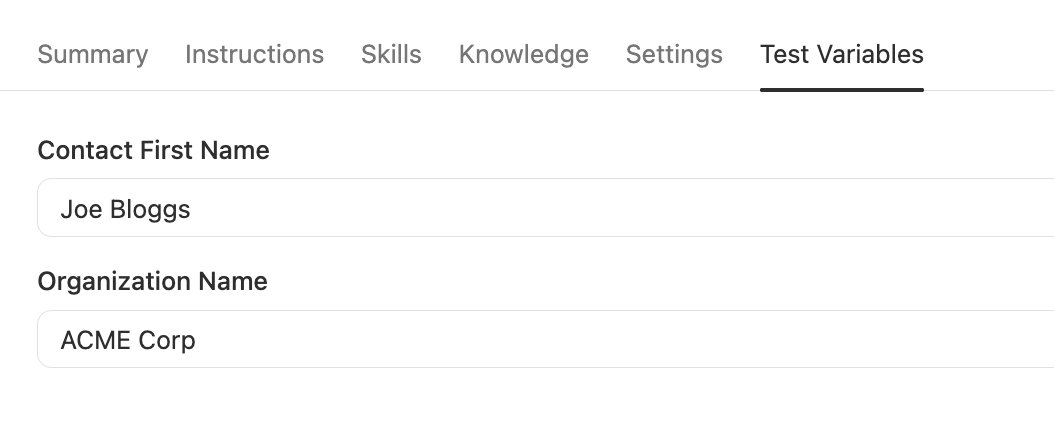
Use the Test Variables tab to define sample values for all variables before running a Test Call, so the call behaves as it would on a real lead.
Knowledge
Your prompt defines the call flow. Knowledge sources give Chloe additional context to draw on when a contact asks something outside the script, such as product details, pricing basics, policies, or positioning.
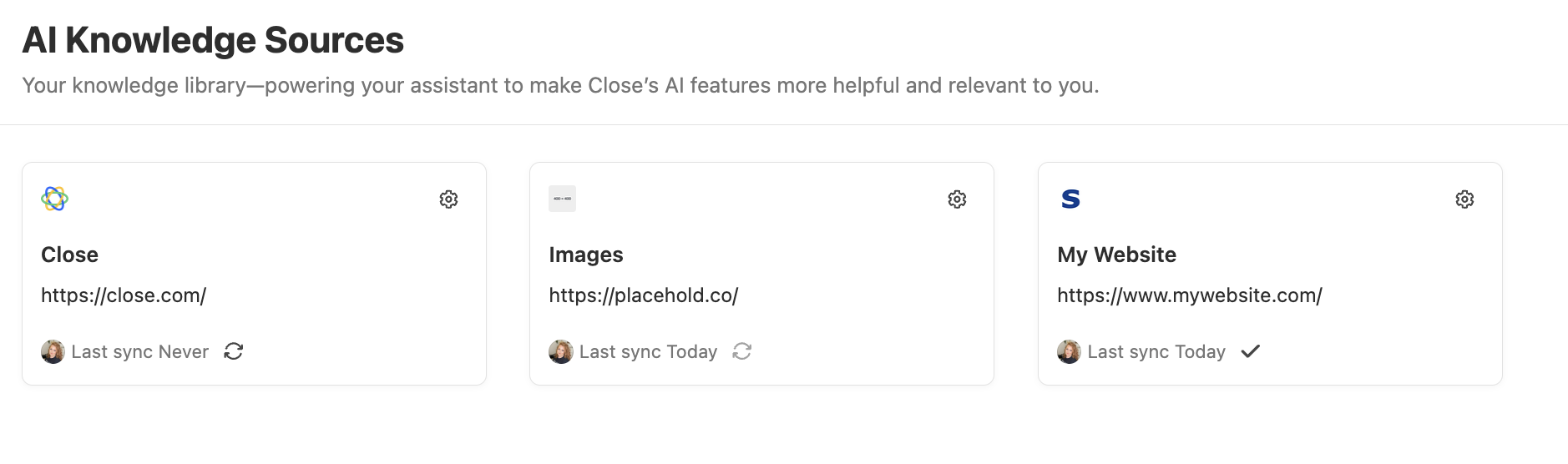
Knowledge sources are managed from the Knowledge tab on each Voice Agent. There are two types:
Built-in knowledge — always available to Chloe during a call. Use this for key facts about your business that Chloe should be able to reference immediately.
Searchable knowledge sources — Chloe looks these up when needed. May take slightly longer to access during a call.
Avoid adding internal or sensitive information to knowledge sources.
Chloe may surface this to contacts during calls. Keep content focused; too much can slow Chloe's responses or reduce accuracy.
Test before updating
After making changes, run a Test Call before saving. Select Test Call from the top bar of the Voice Agent to hear Chloe in action through your browser and verify her behavior reflects your updated instructions.
Test calls use your current edited configuration and never affect your live Voice Agent or real leads.

Adjust the prompt, test again, and repeat until the call sounds natural and reliably hits your goal. Then click Activate (for a draft agent) or Update (for an active agent).
Iterating from real calls
Once a Voice Agent is live, prompt training is ongoing. Chloe's behavior will improve the more you refine based on real call data.
The best starting point is the Engaged filter on the Calls tab, as this shows real conversations where the contact was reached. Click through transcripts one by one using the Next Lead button. Look for where Chloe went off-script, missed a key moment, or handled something poorly.
Update the prompt with clearer instructions or better wording, re-test, then click Update.
Quick checklist
One Voice Agent, one primary goal
Clear call context and success definition
A question flow Chloe can follow
Explicit handling rules for common edge cases
Skills referenced for every action Chloe is expected to take
Tone guidance that matches your brand
Prompt is focused with no repetition and no content unlikely to come up on a real call