

Call Reports
A single, trustworthy view of calling performance for your team, so you can coach for real conversations and better connect rates.
The Call Report brings dials, talk time, dispositions, outcomes, and unique leads dialed into one place. Use it to understand activity quality versus volume and spot which numbers get picked up versus blocked.
- Works across human reps and Chloe
- Trend and distribution charts for quality coaching
- Filters for Smart Views, users, numbers, durations, conversation type, and outcomes
The Call Report is available on all Close plans.
You can define your Call Outcomes under Settings > Outcomes. This feature is available on the Growth and Scale plans only.
Using the Report
In your sidebar, go to Reports and choose Calls.
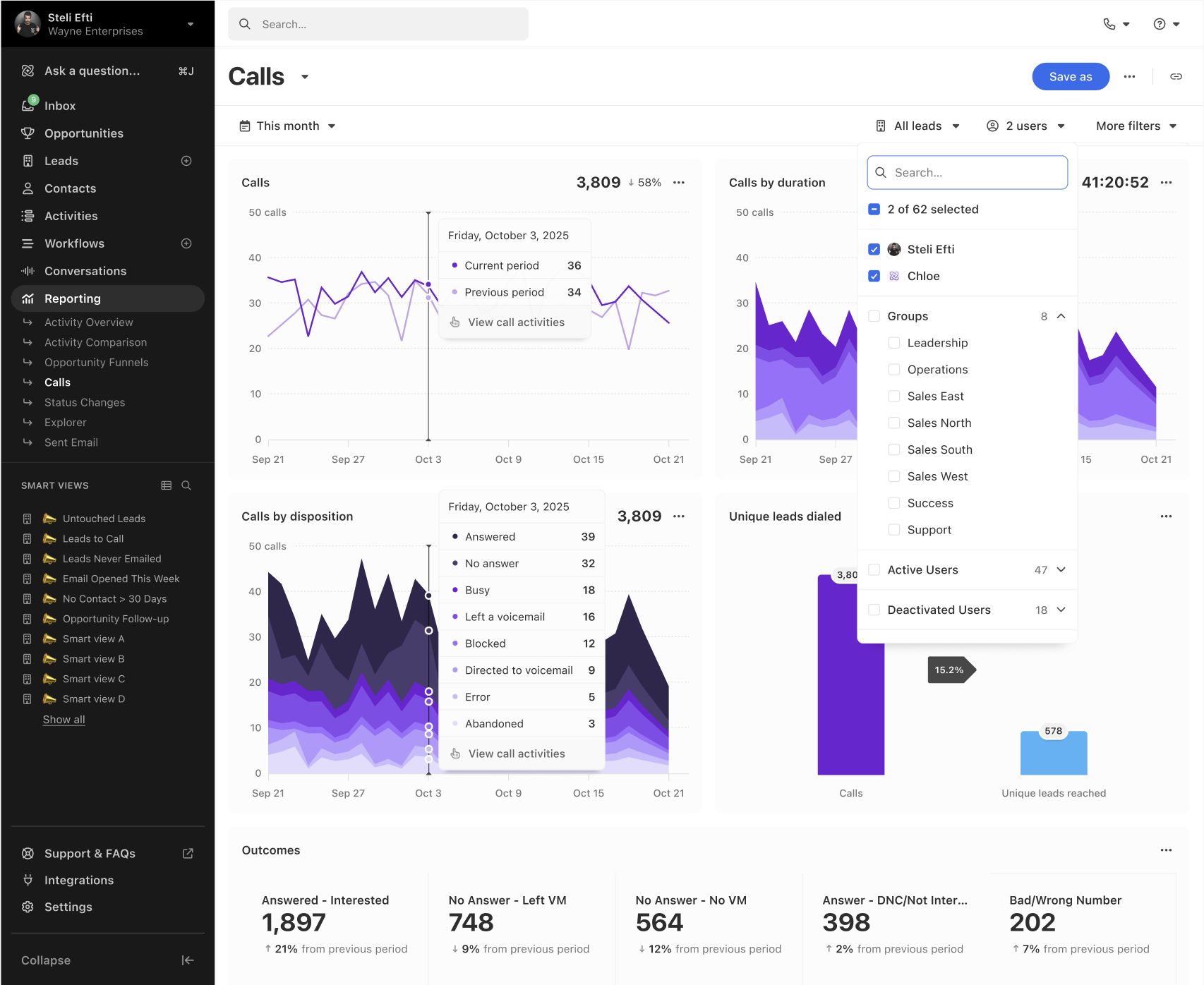
You’ll see following details:
-
Calls. Track total calls and compare to the previous period.
-
Calls by duration. See distribution by duration buckets to gauge conversation quality.
-
Calls by disposition. Breakdown of answered, no answer, busy, blocked, and more.
- Note: Close does not automatically detect voicemail. “Answered” can include voicemail when voicemail drop wasn’t used. Use Outcomes and duration filters for more signal.
-
Unique leads dialed. Focus on unique leads dialed versus repeat dials, helpful when comping on unique dials.
-
Outcomes and pickup rate. With Call Outcomes configured, measure pickup and compare performance by result.
Using the top filter options, filter by the preferred time window, target the leads in a specific Smart View, and select specific users for more targeted results. Under More Filters, you can narrow your results even further:
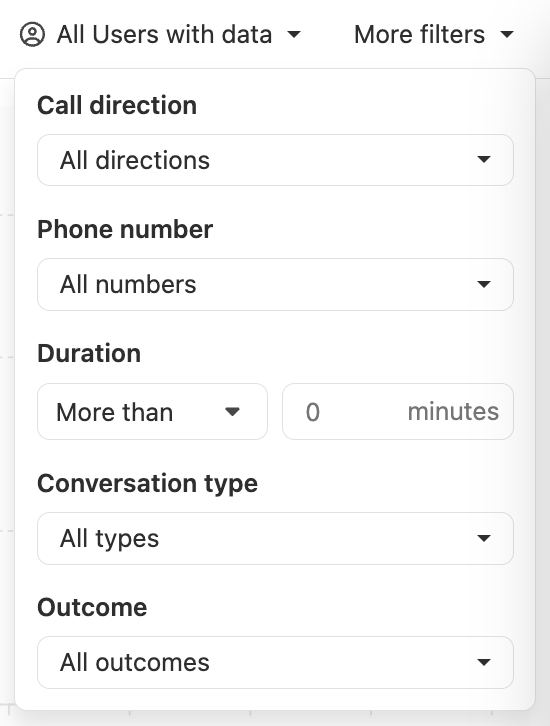
Focus on meaningful conversations. For example, look for calls lasting more than 2 minutes.
We recommend that you configure your Call Outcomes before utilizing the Call Report to ensure clean pickup and success metrics. Compare pickup by phone number, and retire numbers that appear blocked and prioritize numbers with better connect rates.
When it comes to internal coaching, look for quality calls using duration distributions, not just dial counts.
FAQs
-
Does Close detect voicemail automatically?
- No. “Answered” can include voicemail when voicemail drop isn’t used. Use Outcomes and duration filters for clarity.
-
Can I see answered calls that led to conversion?
- Use Call Outcomes to define results that matter and combine them with your reporting workflows to measure pickup and follow-on success.
-
Are inbound calls reported?
- Yes. Inbound calls that route into Close are included in Call Report metrics.