Teach Chloe what good looks like for your business: who she's calling, why she's calling, what to ask, how to handle what comes up, and what to do at the end. Each Agent has its own prompt, so you can define different behavior for different scenarios, such as inbound trial qualification vs. outbound reactivation.
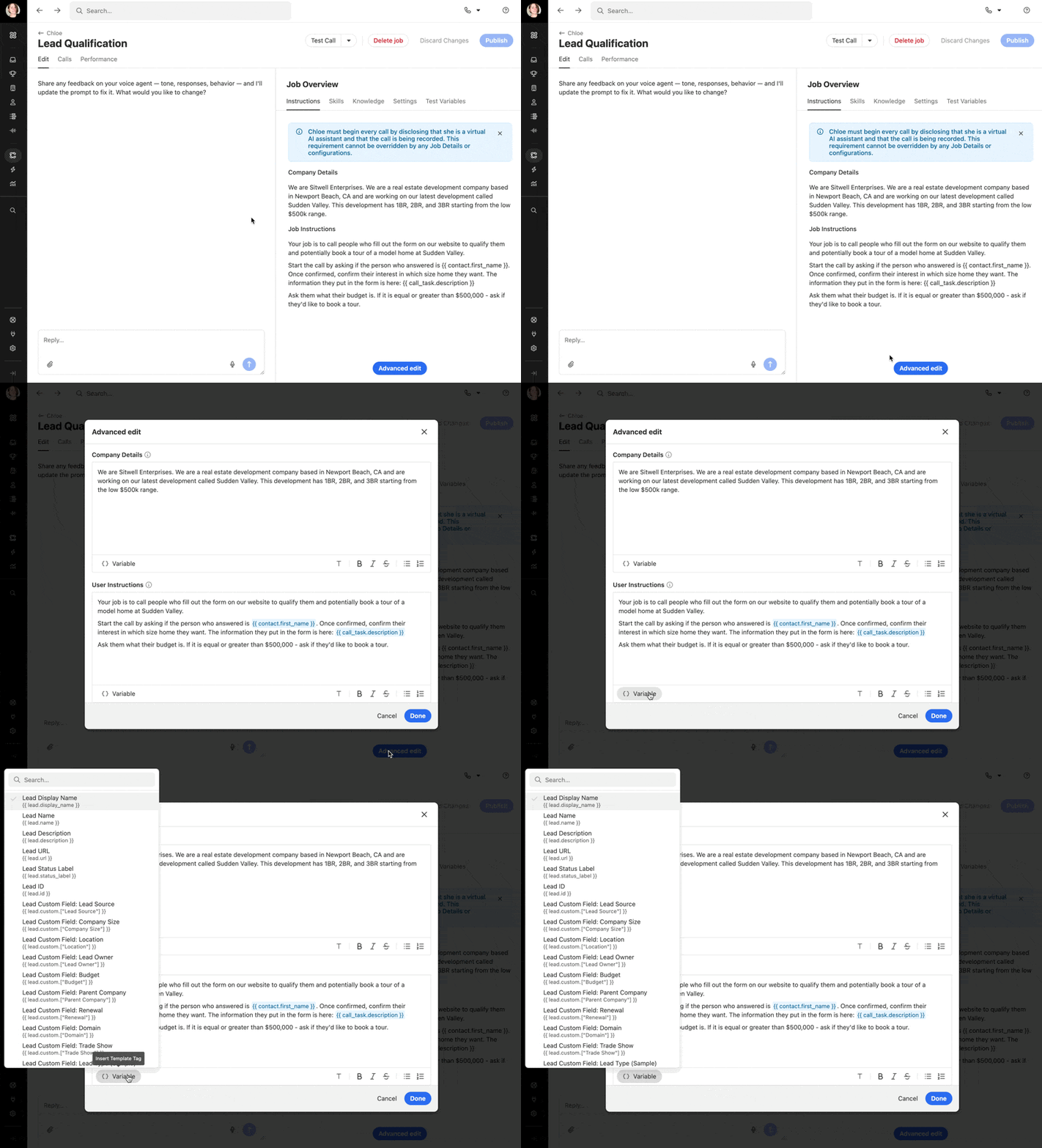
To edit a Agent’s prompt, select Chloe from the left sidebar, open the Agent, and go to the Instructions tab. Use the left menu chat to adjust Chloe’s instructions, or click Advanced edit to edit the Company Details and User Instructions fields directly.
Prompt iteration
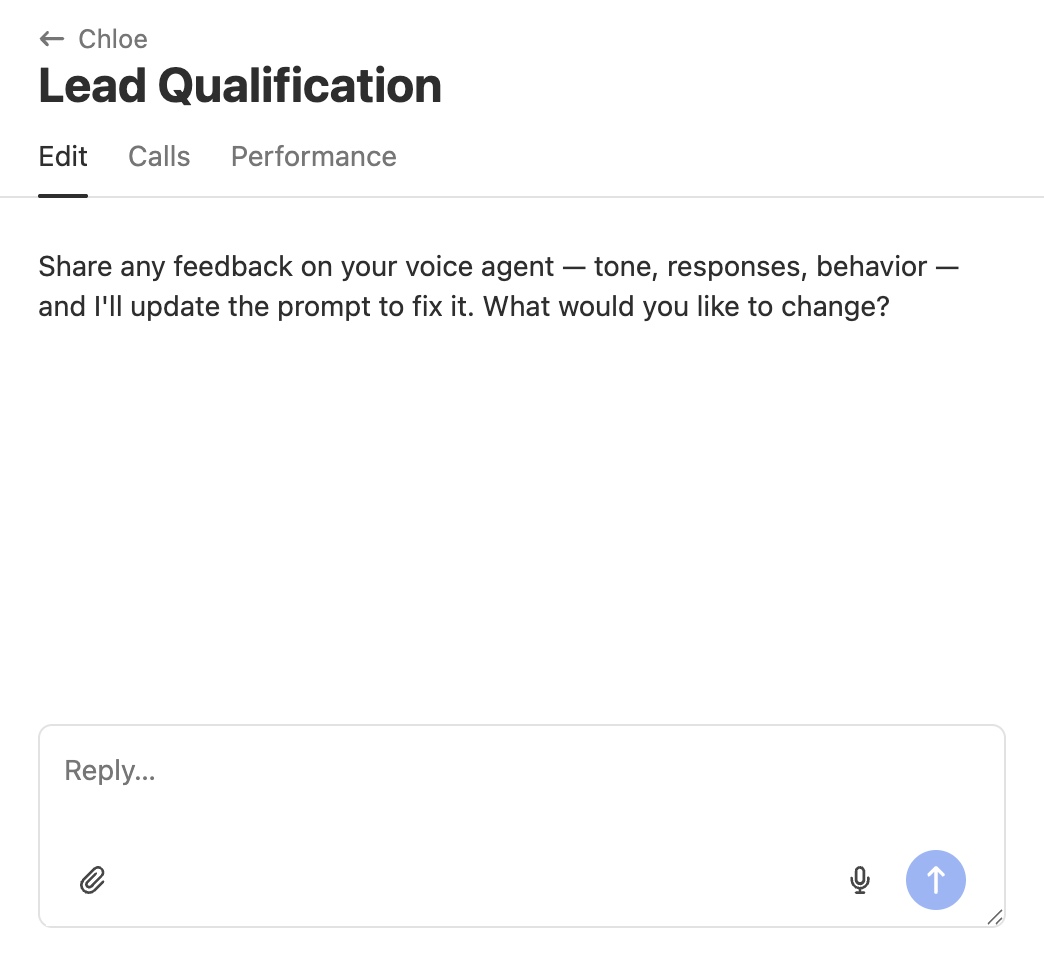
On the Agent’s Edit view, you can describe what you want to change about Chloe's tone, responses, or behavior, and the prompt will be updated accordingly. This is useful for quick iterations after reviewing calls without manually editing the prompt fields.
What to include in a strong prompt
A well-written prompt is specific, structured, and focused on a single goal. Use the following as a framework.
Call context – who Chloe is calling
Describe the audience and why they are receiving this call. Be specific.
"New inbound leads who requested a demo via the website form"
"Trial users whose trial expired in the last 30 days"
"Webinar attendees who opted in to a follow-up call"
Goal of the call – what success looks like
Define one primary outcome in plain language. Examples: "Book a demo," "Confirm fit and route to a rep," "Get permission to follow up later." One Agent, one goal.
Example for a trial signup Agent: "The goal of this call is to confirm the contact signed up intentionally, ask two qualifying questions, and book a 30-minute demo with a rep if they meet our criteria."
Question flow – what to ask and in what order
List the questions Chloe should ask and the order to ask them. Chloe will follow your sequence while adapting based on how the conversation develops.
Example for an Agent at a home services company:
Confirm you're speaking with the right person: "Am I speaking with [contact name]?"
Establish context: "I saw you submitted a request for a quote. Can you tell me a bit about what you're looking for?"
Qualify: "Is this for a residential or commercial property?"
Qualify: "What's your ideal timeframe to get started?"
Route: If they want to start within 30 days, offer to book a time with someone from the team. If they're still researching, offer to send a scheduling link for when they're ready.
Handling rules – what to do when things go off-script
Spell out what Chloe should do in common situations:
They're busy. Ask for a better time and schedule a callback
They want to speak to a human. Transfer or escalate based on your Skills setup
They ask to be called back, so confirm timing and next step
Wrong person or wrong number. Apologize and end the call
They want more information, so answer briefly, then return to the flow
Skills – what actions Chloe can take
Chloe can only take an action if the corresponding Skill is enabled for that Agent. Your instructions should reference Skills explicitly so Chloe knows what is available to her. If a Skill is not enabled, Chloe cannot perform that action regardless of what the instructions say.
For example:
If the Book Meeting skill is enabled, you can instruct Chloe to offer to book a meeting when a lead is qualified
If the Send Scheduling Link skill is enabled, you can instruct Chloe to send a link if the contact prefers to choose their own time
If the Create Task skill is enabled, you can instruct Chloe to log a follow-up task for a rep when a lead needs more time
If the Transfer Call or Alert Users skill is enabled, you can instruct Chloe to escalate when a lead meets a specific criteria
Do not write instructions that reference actions without a corresponding enabled Skill. See the Skills tab on each Agent to confirm which actions are available.
Voice and tone – how Chloe should sound
Include a short style guide. Examples:
"Warm, direct, and confident. No hype."
"Short sentences with no filler. Keep the call moving."
"Professional but conversational. Match the energy of the person you're speaking to."
Variables
Chloe has access to lead and contact data at call time. Use variables in your prompt to personalize calls without hardcoding specific details.
Variables use the {{ variable_name }} format. Insert them using the Variable button in the Advanced edit modal.
Examples:
{{ contact.first_name }}-- the contact's first name{{ call_task.description }}-- the description from the call task{{ organization.name }}-- your organization name
Use the Test Variables tab to define sample values for testing before going live:
Knowledge sources
Your prompt defines the call flow. Knowledge sources give Chloe additional context to draw on when a contact asks something outside the script, such as product details, pricing basics, policies, or positioning.
Knowledge sources are managed from the Knowledge tab on each Agent. There are two types:
Built-in knowledge – always available to Chloe during a call. Use this for key facts about your business that Chloe should be able to reference immediately.
Searchable knowledge sources – Chloe looks these up when needed. May take slightly longer to access during a call.
Keep knowledge sources external-safe. Avoid internal or sensitive information that should not reach a contact. Keep content focused -- too much can slow Chloe's responses or reduce accuracy.
Test before publishing
After making changes, run a Test Call before publishing. Select Test Call from the top bar of the Agent to call yourself and verify Chloe's behavior reflects your updated instructions.
Listen for:
Confusion or evasive answers
Awkward phrasing or off-tone moments
Questions asked out of order or skipped entirely
Incorrect handling of edge cases
Adjust the prompt, test again, and repeat until the call sounds natural and reliably hits your goal. Then click Publish.
Iterating from real calls
Once a Agent is live, prompt training is ongoing. Chloe's behavior will improve the more you refine based on real call data.
Review transcripts and recordings from the Calls tab on each Agent. Make sure to identify where Chloe went off-script, missed a key moment, or handled something poorly. You can also leave feedback directly on individual Chloe responses in the transcript using the thumbs up or thumbs down icon. This sends feedback to the Close team and helps us identify issues that may be fixable globally, such as voicemail handling behavior.
Update the prompt with clearer instructions or better wording, re-test, then re-publish.
Quick checklist
One Agent, one primary goal
Clear call context and success definition
A question flow Chloe can follow
Explicit handling rules for common edge cases
Clear close and skills referenced for every action
Tone guidance that matches your brand
Prompt length is focused with no repetition, and without content that is unlikely to come up on a real call
Note: Prompt length affects response speed. Longer prompts can introduce slight delays in Chloe's replies. Keep prompts focused and remove anything that is not likely to be relevant on a real call.