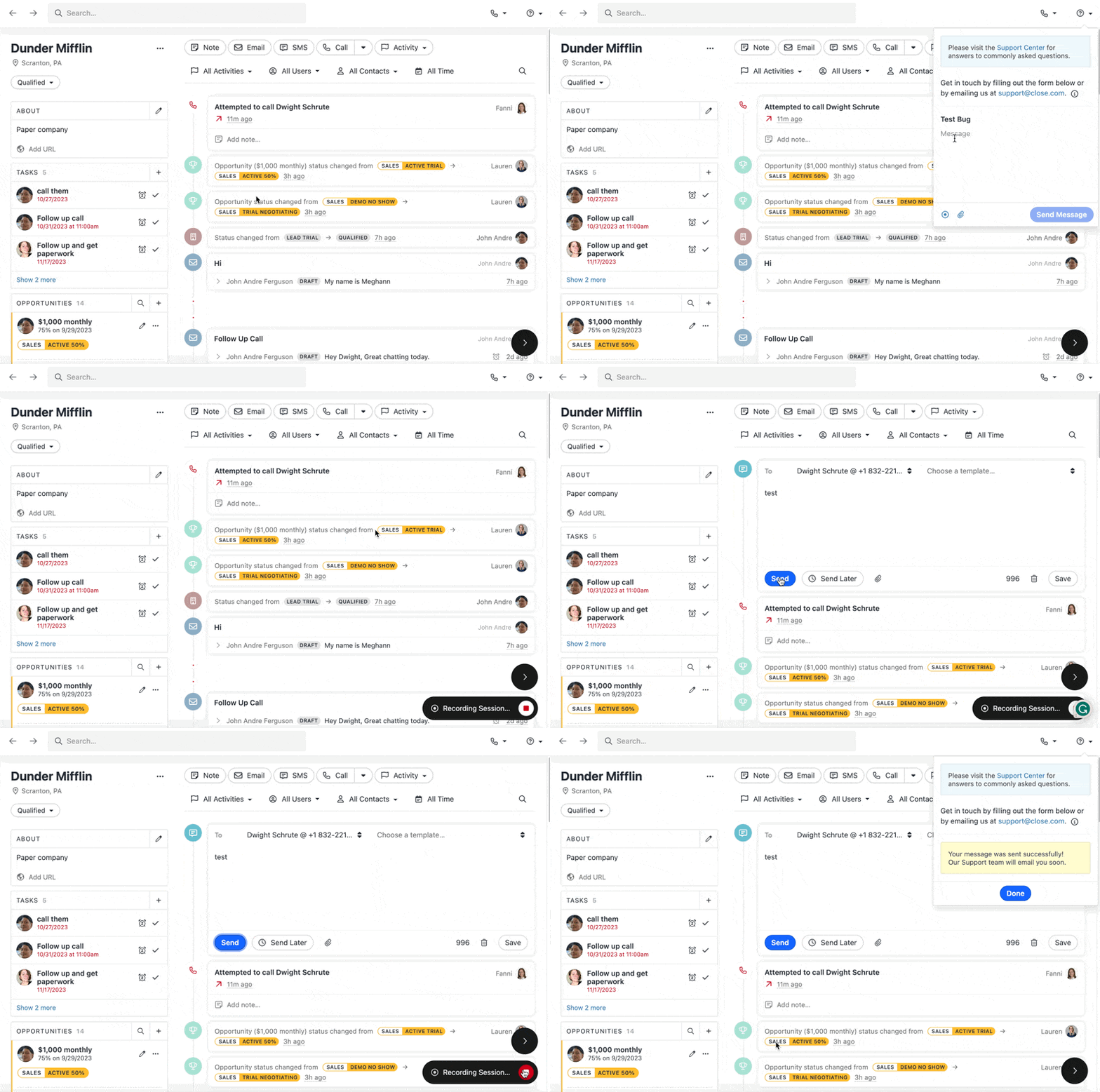
Use our activity recorder to report any issues you find in Close. You can find it by heading to the question mark icon in the top right of the screen and clicking the record button and then submitting it to us at Support so we can troubleshoot for you.
This is not a typical screen recorder:
- This tool only records your screen and activities in Close (and some background information that is useful for us).
- If you change to other apps/windows, they will not be visible at all in this recording, and we don't get data from any of them, only Close.
- The tool does not record any sound at all; please type a short explanation message about your issue.
Here is how to record an issue:
- Click the questionmark icon.
- Type a short message to describe the issue (no sound is recorded).
- Start recording.
- Reproduce the error.
- Stop recording and send us the message.