

Call Assistant
Automatically transcribe and summarize any recorded calls in Close through our Call Assistant feature.
Call transcripts and AI-generated summaries are delivered by the Call Assistant add-on (not by Chloe). Call Assistant is billed as telephony usage at $50/month plus $0.02 per recorded minute and does not consume your plan’s monthly AI credits.
When enabled, a full transcription and summary will be available to view shortly after any voicemail (regardless of duration) and any recorded call that’s over 30 seconds long. Summaries are meant to provide you with a high-level understanding of the topics discussed on the call. Dive into the transcription to review exactly what was said on the call.
Transcriptions
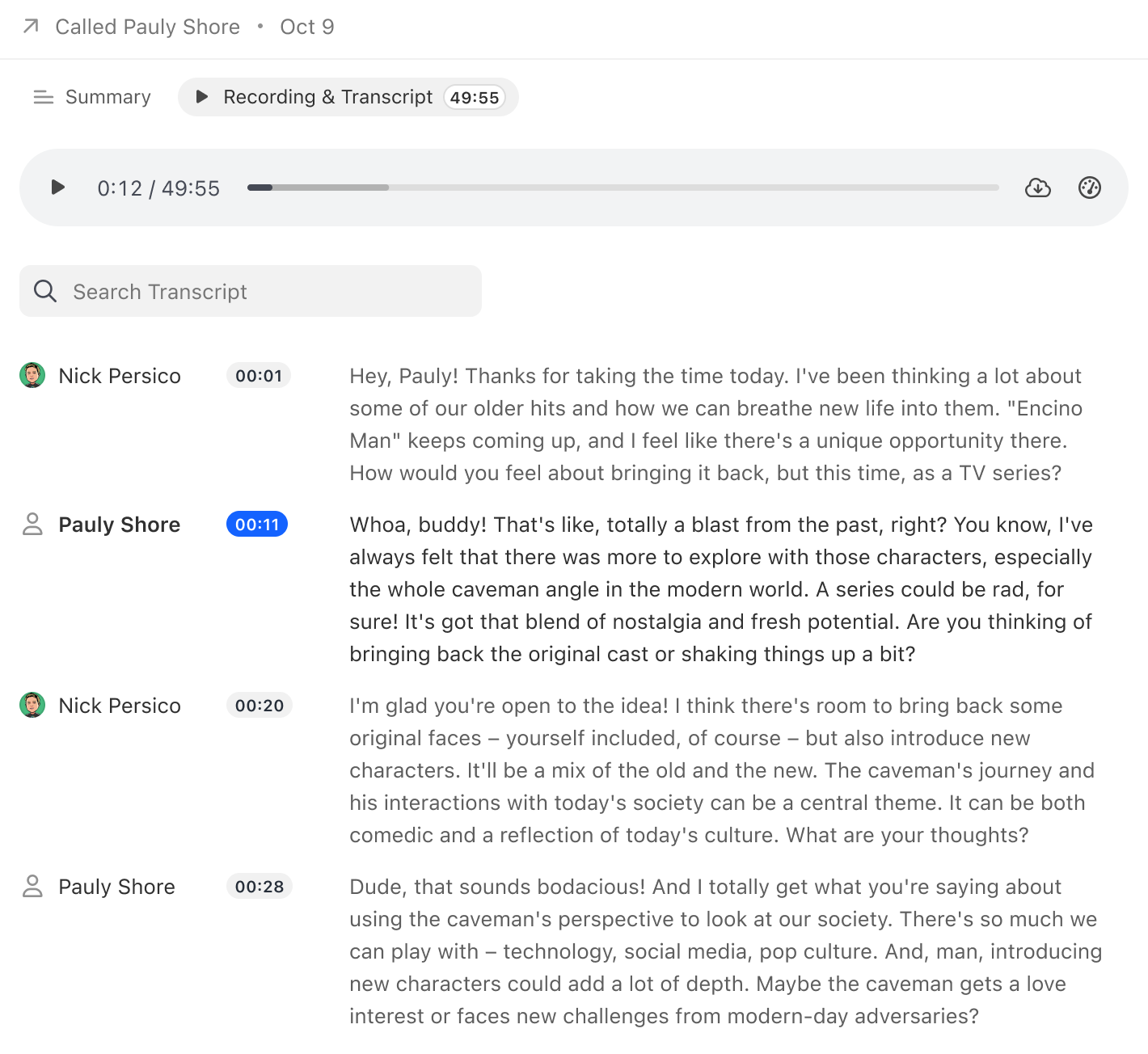
Call Assistant will automatically transcribe all of your recorded calls made through Close.
- Know exactly what was said in calls without painstaking review
- Skim the transcript, and jump to points in the conversation just by clicking on text
- Speaker labels help you understand who said what on the call
Summaries
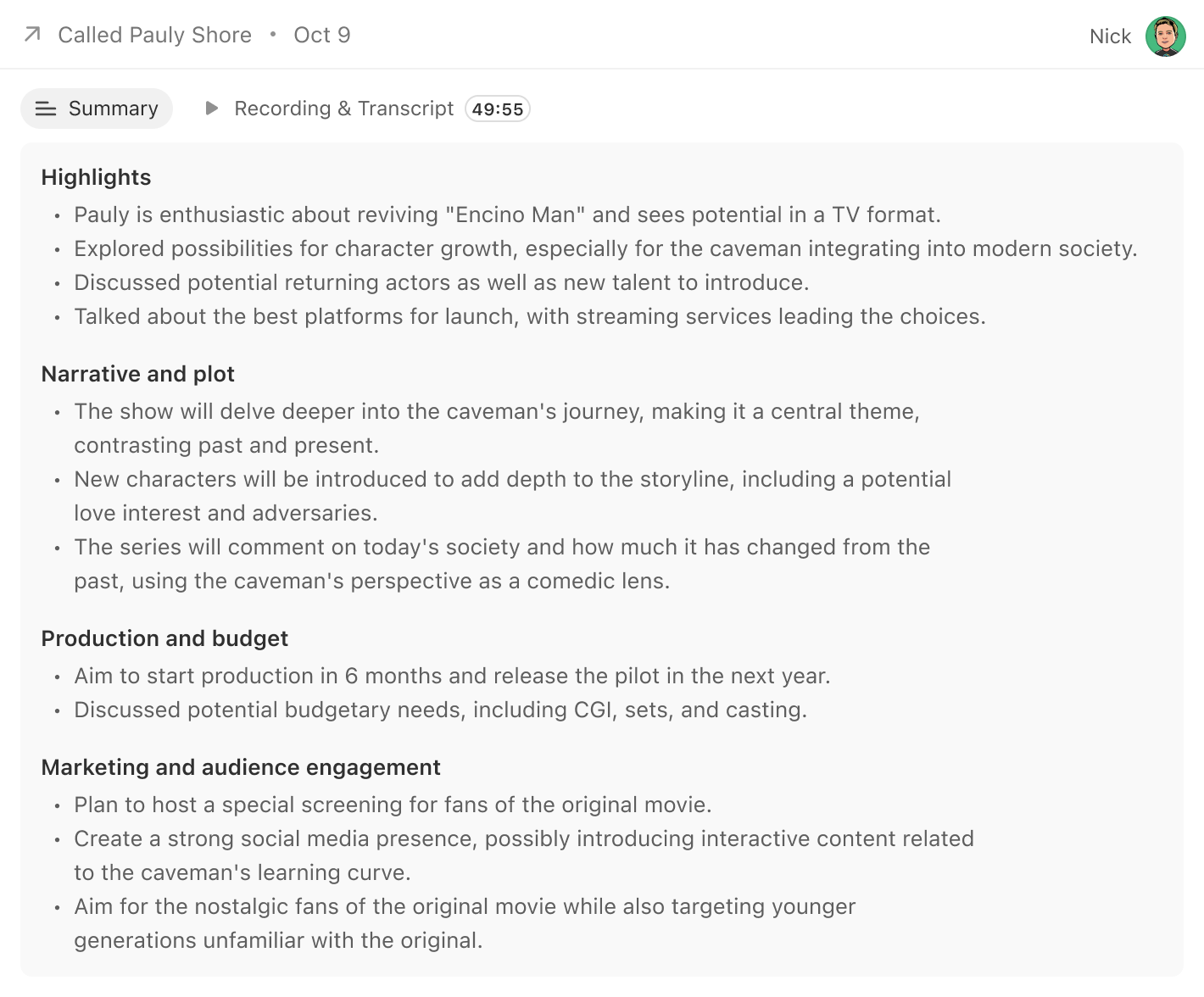
Call Assistant will generate a short summary after each call based on the transcript.
Get the gist of each conversation without having to rely on notes. Easily review you or your team’s previous interactions with a customer much faster than previously possible.
Searching Transcriptions
Transcriptions are fully searchable, at the transcription level as well as across all of your leads.
While viewing the transcriptions, simply type in the word of phrase you’re looking for to find the point in the conversation where it was mentioned.
To search through all of the transcripts in your organization, go to Leads > Add Filter and select the Recording Transcript field under Calls.
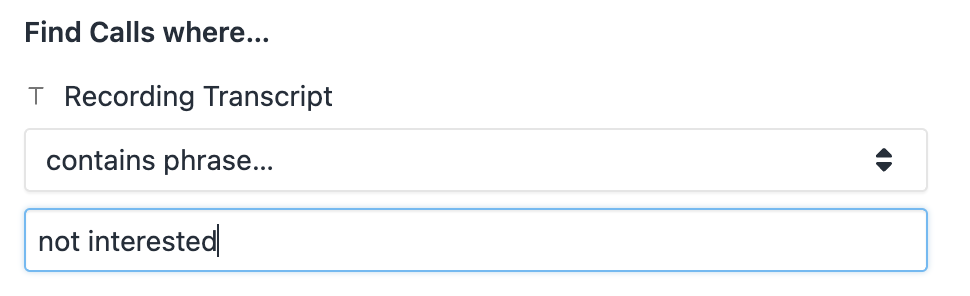
Protip: If your search term contains multiple words, you’ll want to select “Contains phrase…”
Enabling the Call Assistant
To get started with Call Assistant, head over to Settings > Plan and toggle on the Call Assistant.
Close will always transcribe all of your voicemails free of charge, regardless of whether you’ve opted-in to a Call Assistant feature or not.
If you have more than one organization
Call Assistant is switched on for your whole billing account, not for one organization at a time. If you have linked organizations, turning Call Assistant on anywhere turns it on in every one of them, and turning it off turns it off everywhere. There is no way to run it in one organization but not another.
The $50/month fee is charged once, no matter how many organizations are linked. Per-minute transcription charges are counted from the calls in every organization and drawn from the single usage credit balance on your primary organization.
FAQs
Is there a cost to the feature?
The Call Assistant feature will cost $50/month to enable, as well as $.02/min for any transcribed and summarized calls. This is billed as telephony usage and does not consume your plan’s monthly AI credits. You will see the $50/month fee added to your subscription invoice, and usage billing will be billed the same as current telephony usage charges.
I have two organizations. Do I pay $50/month for each of them?
No. The $50/month fee is charged once for your main organization, so linking a second organization doesn’t double it. What does add up is the per-minute charge: every transcribed call in every linked organization is billed at $.02/min against the same usage credit balance.
Don’t confuse this fee with the $50/month charge for an additional organization — that one is per organization, and it is a separate line item from Call Assistant.
Can I transcribe and summarize my old calls prior to enabling the feature?
Reach out to support@close.com if you’re interested in transcribing and summarizing old calls.
Does this work in multiple languages?
Yes. Transcriptions and summaries are supported in 20 languages.
- Global English
- Australian English
- British English
- US English
- Spanish
- French
- German
- Italian
- Portuguese
- Dutch
- Hindi
- Japanese
- Chinese
- Finnish
- Korean
- Polish
- Russian
- Turkish
- Ukrainian
- Vietnamese
Languages are automatically detected on the call for transcriptions, and the summaries will match the transcription language.
Summary quality may vary depending on the language for non-English languages.
Call recordings on my plan expire. Will these transcriptions expire too?
No. Any transcriptions in your organization will remain available even if the call recording expires.
Transcripts also remain available if the recording is deleted. (Notetaker meeting transcripts work the same way.) Account cancellation is handled separately and can trigger data purge timelines.
For example, on the Growth plan call recordings are retained for a 90-day retention window and will be removed after 90 days regardless of whether the user who made them remains on the account.
Can I turn this feature off at any time?
Yes. As soon as you toggle the feature off, we will no longer transcribe and summarize the calls you make. If you have linked organizations, this switches the feature off in all of them.
How does this work? Is my data safe and private?\
Close does not use customer CRM content (contacts, emails, notes, call recordings, or other account content) to train Close’s general AI models. We’ve partnered with AssemblyAI to power our Call Assistant feature. Any audio files sent to AssemblyAI are deleted as soon as processing is completed. We have also opted-out of allowing them to use any Close data to train their models. You can review their full data privacy policies here, and review our privacy policy, including the current list of sub-processors, here.