

Opportunities List View
While Close tracks a number of data points, our philosophy on reporting is to make that data as actionable for your sales team as possible. To that end, our reporting focuses on a sales rep’s created Opportunities, their Activity, and the movement of Leads through the sales funnel.
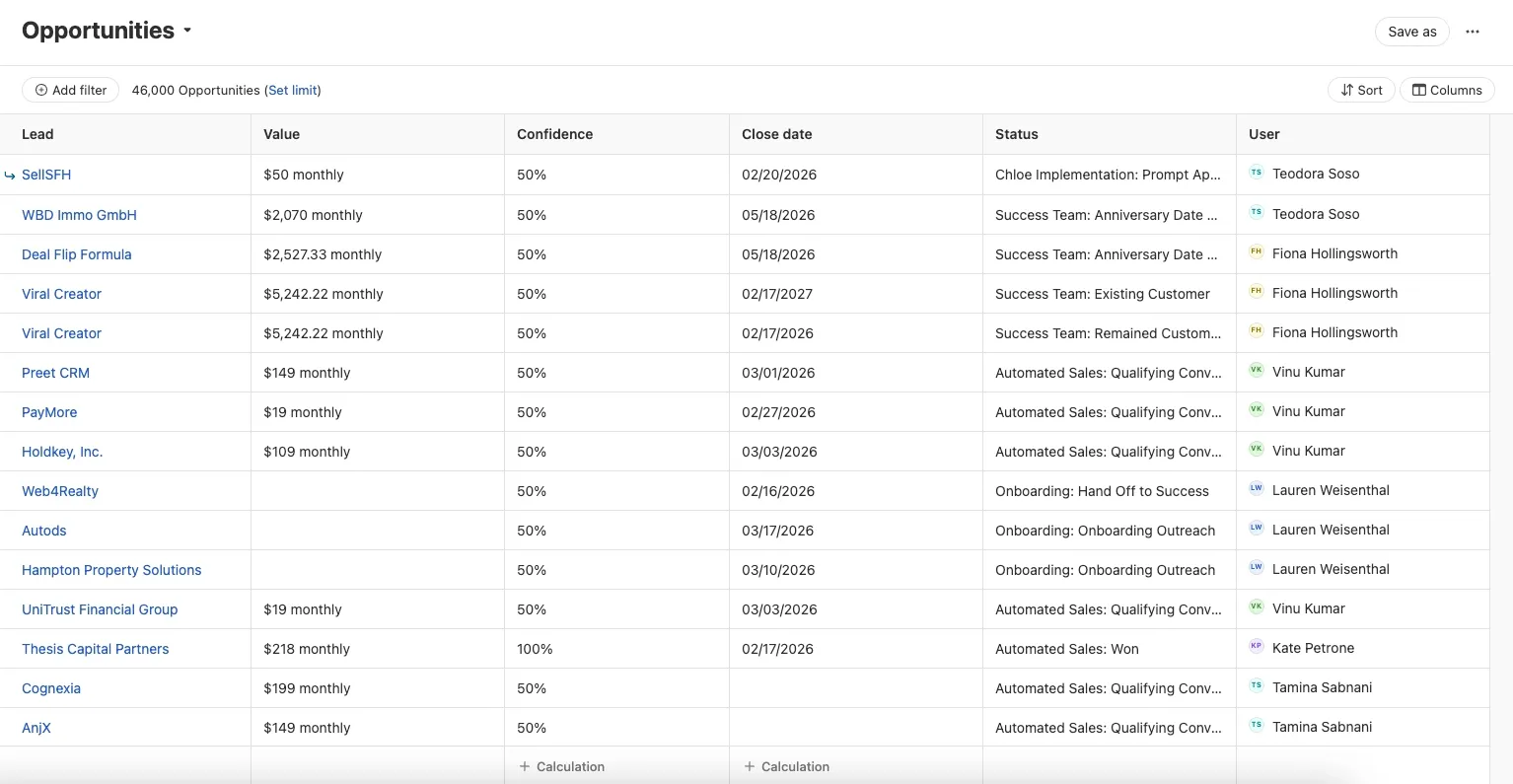
The Opportunities List gives you a powerful, flexible view of every opportunity in your organization. Use it to manage your pipeline, prioritize follow-ups, run quick calculations, and share key lists with your team.
Access the Opportunities List
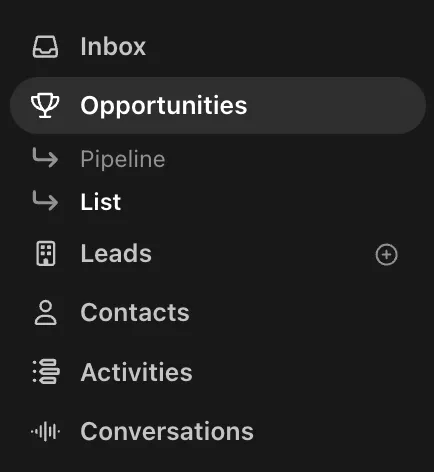
You can open the Opportunities List from the left-hand navigation under Opportunities.
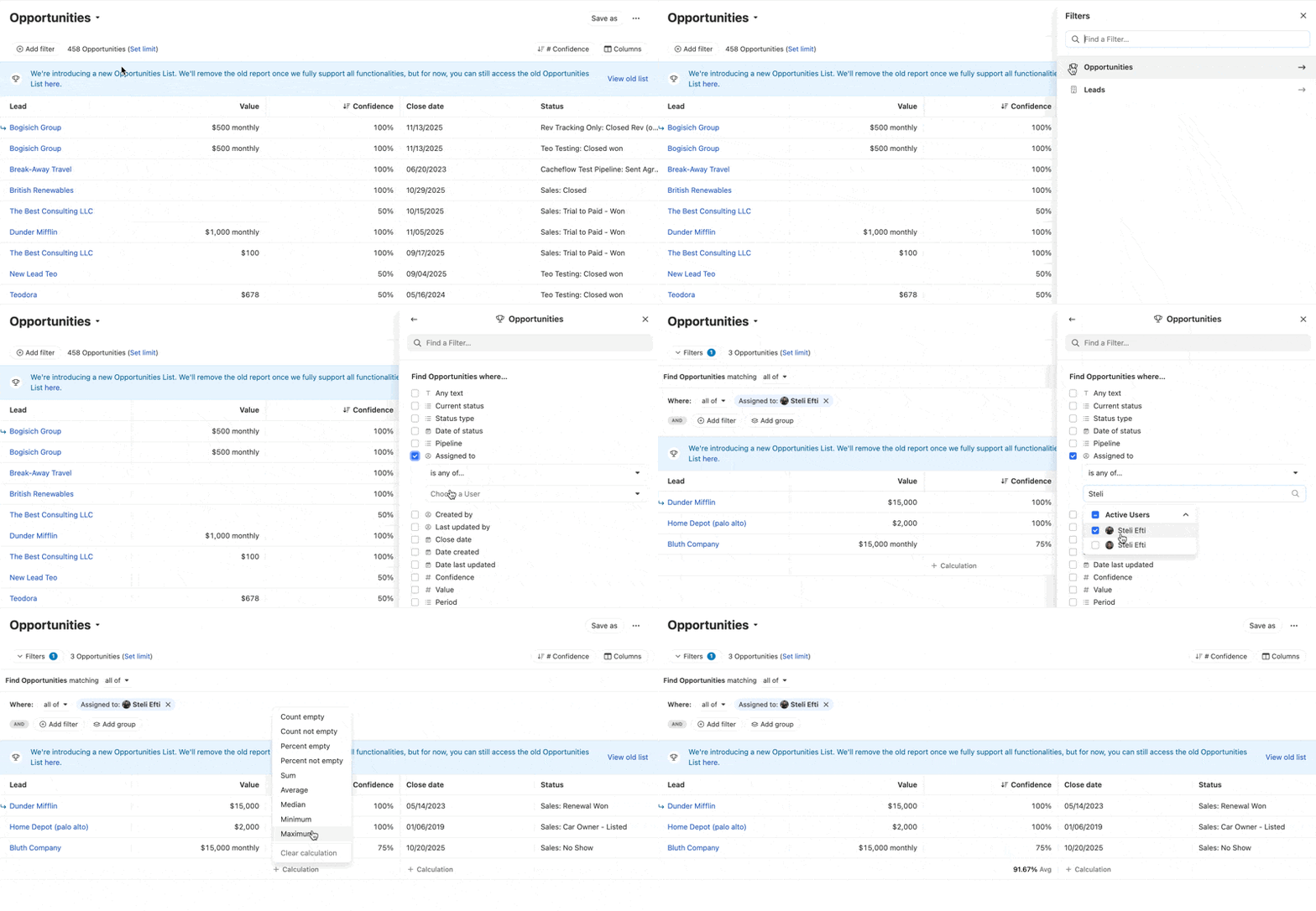
The Opportunities List uses filters similar to the Leads page. You can add precise filters to pull exactly the Opportunities you need, save those reports to access them later or share with your team, and see summary stats (like sums and averages) right in the list as in-column calculations.
Filter your Opportunities
Use the filter bar at the top of the list to narrow your results by the fields that matter to you, including:
- Opportunity status
- Pipeline
- Owner (assigned user)
- Dates (like created or last updated)
- Value and confidence
- Notes
- Custom fields (including Opportunity custom fields)
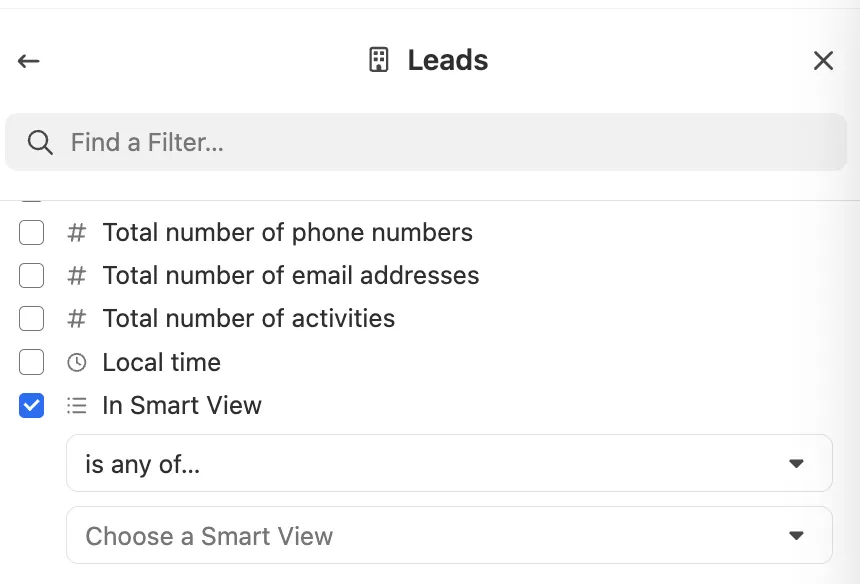
If you already have an existing Smart View that scopes your data, you can apply it here within the Leads filter to quickly narrow the list.
Once you’ve built a filter you’ll reuse, save it so you can return to the same view without rebuilding it.
Customize columns
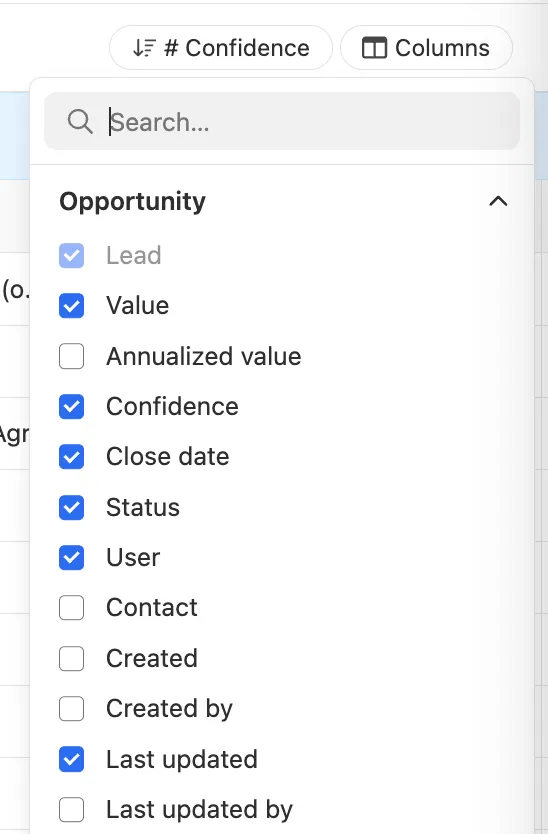
You can customize the Opportunities List to show the exact information you want:
- Add and remove columns
- Reorder columns
- Resize columns
- Add custom fields as columns
Use in-column calculations
For numeric columns (like Value, Confidence, or other numeric custom fields), you can enable calculations to see aggregate stats at the bottom of the column.
Depending on the column type, available calculations can include:
- Sum
- Average
- Count
Example: A sales manager filters to a rep’s opportunities, adds the Confidence column, and uses calculations to see the average confidence score across the visible results.
Common use cases
Here are a few ways teams commonly use the Opportunities List:
- Work prioritization: Find opportunities that need follow-up, then work through the list.
- Commission tracking: Filter by owner and date range to review closed deals.
- Pipeline review: Build a view for a meeting or QBR, then share or export it.
- Team performance: Filter to a rep, add performance-related columns, and use calculations for quick rollups.
The Opportunities List is replacing the previous Opportunities List. For now, the previous page is still available from a banner at the top of the new list.
If you rely on the legacy page for commission workflows, this is especially important: the legacy report includes functionality (such as Group by user and some summary-style totals) that may not yet be available in the new list.